
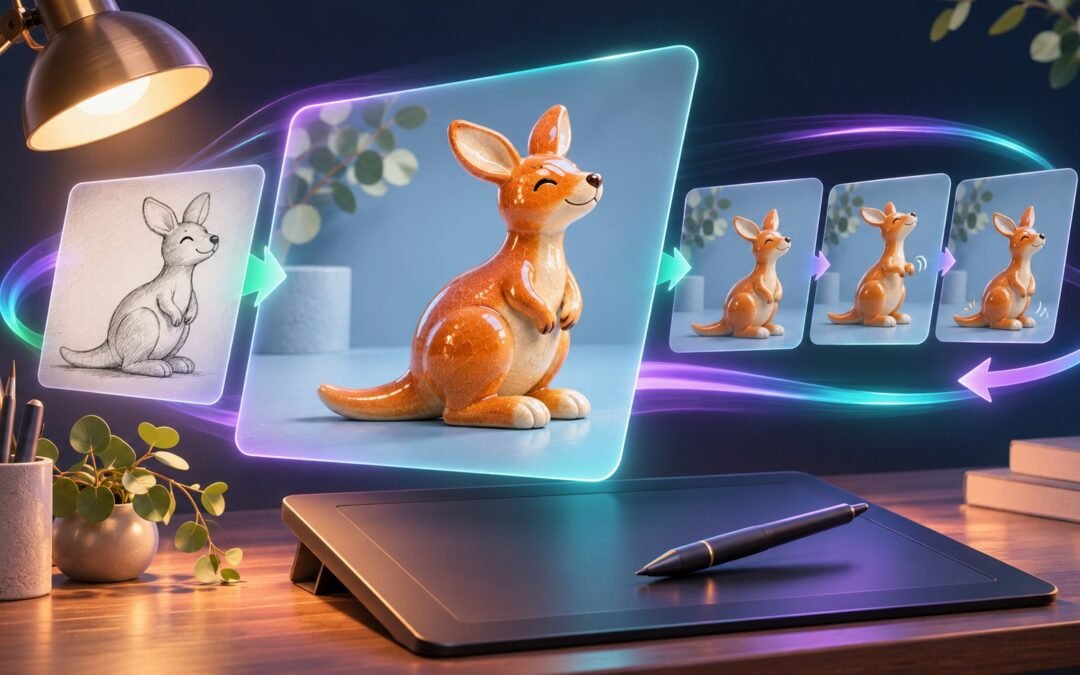
ChatGPT Images 2.6 adds animated GIFs, reusable reference images and new controls for developers building image-generation tools. Announced by OpenAI on 4 November 2026, the update is aimed at making visual work quicker to create and easier to refine without losing important details between edits.
For Australian creators, online retailers and small businesses, the practical question is not simply whether the pictures look better. It is whether the system can produce usable variations with fewer corrections. Here is what changed, how the Flare and Sunburst API models differ, and what to check before using the results commercially.
Background: from one-off pictures to repeatable workflows
AI image generators are useful for exploring ideas, but production work requires more than an impressive first result. A product must retain its shape across campaign images, a character needs a consistent appearance, and a background change should not alter unrelated details.
Building on the earlier ChatGPT Images 2.5 release, Images 2.6 focuses on iteration, editing consistency and new output formats. OpenAI’s launch claims should still be distinguished from independently measured improvements in a particular workflow.
What changed in ChatGPT Images 2.6?
Flare prioritises speed; Sunburst targets detailed work
OpenAI says image generation is 50% faster than before. Its speed-focused GPT-Image-2.6 Flare model can generate an image in as little as six seconds when quality is set to low. That is a best-case vendor claim, not a guaranteed response time for every prompt.
GPT-Image-2.6 Sunburst is positioned for more detailed compositions and greater consistency across edits at medium or high quality. Developers should compare both models on their own product shots, illustrations and layouts rather than assuming one is always the better choice.
Animated GIFs and reusable references
The release adds GIF creation, letting users turn prompts or existing images into short animations. Potential uses include reaction images, moving product visuals and early explorations of character movement.
ChatGPT also supports saving reference images for later creations, reducing repeated uploads when working with the same subject. TechRadar’s hands-on report demonstrated both GIF generation and saving a pet photograph as a reusable reference. Neither feature removes the need to inspect the result for unwanted changes.
Markup-guided edits and SVG output
Image markup brings a more targeted editing approach to the API: developers can indicate where a change should happen instead of relying only on a written description. The API also supports SVG output, useful when a project needs scalable vector artwork rather than only raster images.
Treat generated SVGs as draft assets. Check their appearance, editability and behaviour in the actual website, app or print workflow before approval.
Complexity and quality are different settings
A new complexity parameter controls how much planning the model applies before rendering. It accepts low, medium or high; OpenAI’s developer guide says the default is high when the parameter is omitted.
This is separate from quality, which controls rendering quality. OpenAI recommends low complexity for many straightforward edits, paired with the quality level the task needs. Higher complexity can help with dense layouts or multiple constraints, but the documentation warns that it can increase latency and introduce unwanted changes. More planning is not automatically better.
Availability and costs: what users should know
OpenAI says Images 2.6 is available globally in ChatGPT and Codex across all subscription tiers on desktop, mobile and web. That includes an Australian audience, but availability across tiers should not be read as unlimited generation or identical allowances.
The API models are gpt-image-2.6-flare and gpt-image-2.6-sunburst. Check your organisation’s access, verification requirements and rate limits before integrating them.
For budgeting, measure actual usage rather than assuming faster generation means cheaper images. OpenAI’s guide notes that equal token rates do not guarantee equal cost per image. SVG output also involves charges for the reference image and the model that authors the vector file.
Why this matters for businesses and creators
The biggest potential gain is a shorter feedback loop. A retailer could explore seasonal backgrounds while trying to preserve product details; a designer could refine a character before making a small animation; a developer could offer more precise edits inside an existing app.
For a small Australian business without a dedicated creative team, those capabilities may lower the effort needed to test ideas. They do not replace accurate product photography, accessibility checks or human approval. The useful metric is the cost and time required to reach an acceptable final asset, not the number of drafts generated.
A practical way to test the update
- Choose a real task. Start with an asset you own and one clear change, such as replacing its background.
- Define what must stay unchanged. List the subject’s shape, colours and other essential details.
- Compare settings. In the API, test low complexity first for a focused edit, then compare models and quality levels.
- Record usable results. Track latency, spending and rejected outputs, not just successful generations.
- Review before publishing. Check every frame of a GIF and test vector assets in their destination software.
The developer guide still contains examples using Images 2.5, so confirm model names and feature-specific requirements rather than copying older examples unchanged.
Risks and limitations remain
OpenAI’s documentation still warns about imperfect text rendering, recurring-character consistency and precise composition. A generated product image can therefore look convincing while misrepresenting a physical detail. Keep customer-facing claims and visual accuracy under human control.
Privacy and rights also matter. Obtain permission before uploading identifiable people or confidential client assets, and check whether you have the rights to reuse source material commercially.
OpenAI’s system card highlights risks that emerge across animation frames and acknowledges that GIF safeguards may miss violations. Its adversarial safety evaluations are not estimates of everyday harmful-output rates. Provenance measures, including C2PA metadata and invisible SynthID watermarking, help provide context but do not establish that an image is accurate or appropriately licensed.
What to watch next
Watch for independent comparisons of editing reliability, clearer plan-specific usage limits, and real-world measurements of cost per approved image. Developers should also monitor documentation changes as the new models and output formats are incorporated into examples.
Conclusion
ChatGPT Images 2.6 makes AI image creation more useful as an iterative process, with faster generation, animated GIFs and more deliberate editing controls. Start with a contained trial, compare usable outcomes and retain human review. Consistency and commercial fitness matter more than launch-day speed claims.